

The fastest way to track your GPA is to plug your grades, credit hours, and grading scale into an online calculator or spreadsheet, then update it after every graded assignment. You need three inputs: the letter grade or percentage for each course, how many credit hours it carries, and whether your school uses a 4.0 or weighted scale. Do that once, and you get an instant current GPA plus a rough projection for next term.
TL;DR:
- Tracking GPA weekly using a calculator, spreadsheet, or automated app helps identify trends early and prevents surprises at the end of the term.
- Manual GPA calculation relies on summing grade points multiplied by credit hours and adjusting for weighted courses' extra points.
- Monitoring both semester and cumulative GPAs over at least four to six semesters reveals meaningful patterns and course performance issues.
- Predicting future GPA requires recalculating targets based on remaining credits and grades, emphasizing consistent grade tracking throughout the year.
- Automated tools like Semester Flow streamline grade input, provide real-time updates, and help flag courses that could jeopardize GPA goals before finals.
Table of Contents
- Quick ways to track your GPA
- How do you calculate GPA manually?
- How do you track GPA over time?
- How can you monitor and improve your GPA?
- How Semester Flow automates GPA tracking
- What actually matters when you track your GPA
- Track your GPA automatically with Semester Flow
- Sources
Quick ways to track your GPA
Most students land on one of three tools, and each one solves a different problem.
An online GPA calculator is the fastest option when you just need a number. You enter each course's letter grade (or percentage) and its credit hours, and the calculator does the multiplication for you. The better ones let you group courses by semester and include a planning mode that tells you the minimum GPA you'd need in future courses to hit a target, which is genuinely useful once you're well into your studies and thinking about grad school or scholarship thresholds.
A spreadsheet takes more setup but gives you control a calculator can't. Build columns for course name, credit hours, letter grade, grade points, and semester, then let a formula multiply grade points by credits and divide by total credits. Once it's built, you can duplicate the sheet and run "what if I get a B in this class" scenarios in seconds.
An automated planner is worth it once tracking by hand starts feeling like a chore. These apps sync grades automatically, flag slumping courses before they tank your average, and show trend lines over time instead of a single flat number.
- Calculator: fastest, no setup, weak on history and trends
- Spreadsheet: full control and privacy, but manual entry every time
- App/planner: automated, tracks trends, requires linking your accounts
Pro Tip: Keep a spreadsheet running even if you use an app or calculator day to day. It's your backup if a tool changes its formula or you switch schools mid-degree.
How do you calculate GPA manually?
The formula behind every calculator on the internet is the same one your registrar uses:
GPA = (sum of grade points × credit hours) ÷ (sum of credit hours)
On a standard 4.0 scale, grade values typically run:
- A = 4.0, A− = 3.7
- B+ = 3.3, B = 3.0, B− = 2.7
- C+ = 2.3, C = 2.0, C− = 1.7
- D+ = 1.3, D = 1.0
- F = 0.0
Here's the math for one semester with four courses:
| Course | Credits | Grade | Grade Points | Quality Points |
|---|---|---|---|---|
| Chemistry | 4 | B+ (3.3) | 3.3 | 13.2 |
| English | 3 | A− (3.7) | 3.7 | 11.1 |
| History | 3 | A (4.0) | 4.0 | 12.0 |
| Statistics | 3 | C+ (2.3) | 2.3 | 6.9 |
Add the quality points: 13.2 + 11.1 + 12.0 + 6.9 = 43.2. Divide by total credits (13): 43.2 ÷ 13 = 3.32 GPA for the semester. To get cumulative GPA, add this semester's quality points and credits to every prior semester's totals, then divide again.
One catch: weighted scales for AP, IB, or honors courses add extra points on top of this baseline, so a weighted A might count as 5.0 instead of 4.0. High schools handle this differently, and BigFuture notes colleges often recalculate applicants' GPAs using their own rules anyway. Check your registrar's policy before you assume your homemade number matches your transcript.
How do you track GPA over time?
Semester GPA and cumulative GPA answer different questions. Semester GPA tells you how you did in the last 15 weeks. Cumulative GPA tells you how you're doing overall, weighted by every credit hour you've ever earned. A rough semester can barely dent a strong cumulative average built over three years, which is exactly why tracking both matters more than obsessing over one bad midterm.
A GPA trend tracker works by logging each semester's GPA and credit hours in chronological order, then plotting them so you can see whether you're climbing or sliding. Two or three semesters won't tell you much. Four to six data points is usually where a real pattern shows up, especially if you can see it against course load or major changes.
Order and accuracy matter more than people expect. Common mistakes that quietly wreck a trend chart:
- Entering your cumulative GPA in a field meant for a single semester
- Logging semesters out of chronological order, which skews the trend line
- Forgetting to update credit hours for a semester with a heavier or lighter load
- Ignoring school-specific rules for transfer credits or repeated courses, which can inflate or deflate your real number
How can you monitor and improve your GPA?
Once you know your current GPA, the next useful number is the one you need going forward. The projection formula is simple:
Required future GPA = (target GPA × total future credits − current quality points) ÷ future credits
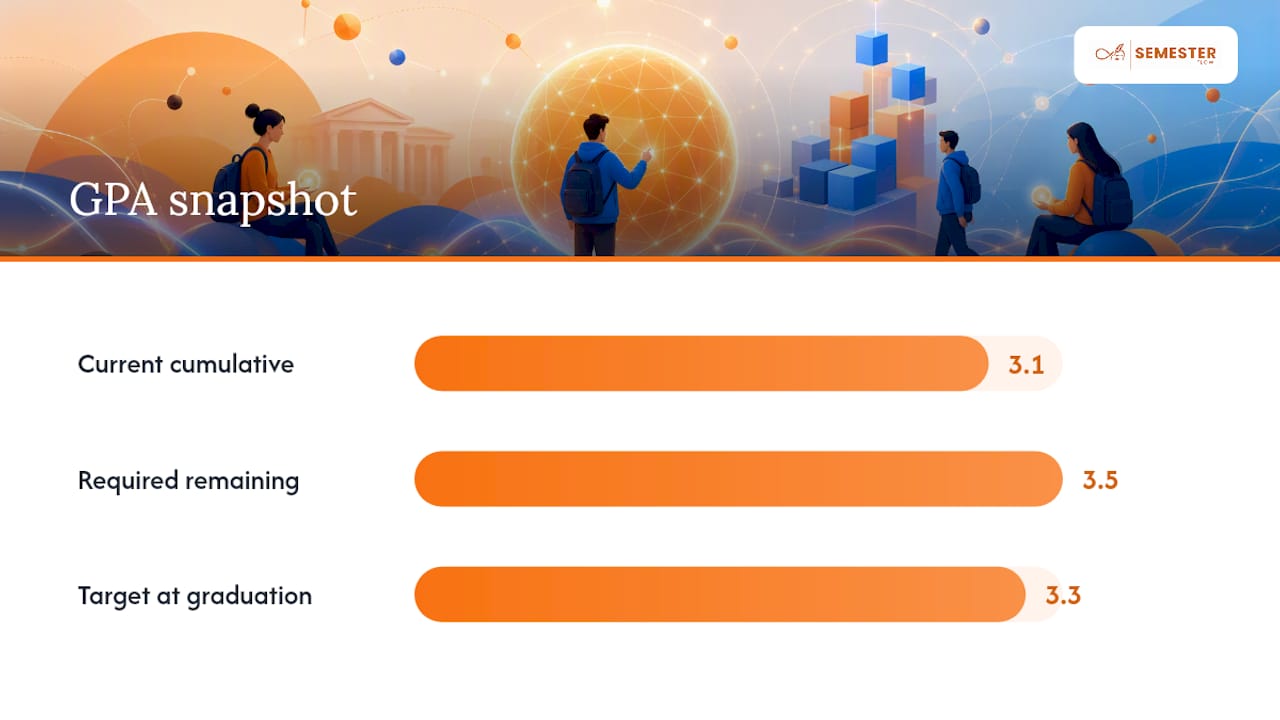
Say you're at a 3.1 cumulative GPA with 60 credits completed, and you want to hit 3.3 by graduation with 60 credits left. You'd need roughly a 3.5 average across everything remaining. That's the kind of math a grade-goal projection tool runs automatically, but it's worth doing by hand once so you understand what the number actually means.
A short weekly routine keeps that projection realistic instead of aspirational:
- Log every graded assignment the week it posts, not at the end of the semester
- Check in after each midterm and recalculate your semester GPA
- Review withdrawal and grade-replacement deadlines before they pass, since most schools cut these off weeks before finals
- Talk to your advisor or registrar about pass/fail options if a single course is dragging your average
Pro Tip: If a professor offers a grade replacement or retake policy, use it before the deadline instead of trying to out-earn a bad grade in later courses. Math almost always favors fixing the original problem.
Office hours and a focused review schedule matter most for whichever course triggered the alert in the first place, not your strongest class.
How Semester Flow automates GPA tracking
Manually logging every grade works, but it's the first thing students drop when the semester gets busy. Semester Flow was built around that exact failure point. Upload a syllabus, and it extracts assignments, exams, and grading weights, then syncs the deadlines straight to Google Calendar so nothing depends on you remembering to type it in.
The GPA side runs on the same logic:
- Real-time GPA tracking updates the moment a grade is entered, so you're never working from a stale number
- Per-Class Grade Profiles show performance course by course instead of burying weak grades in a single average
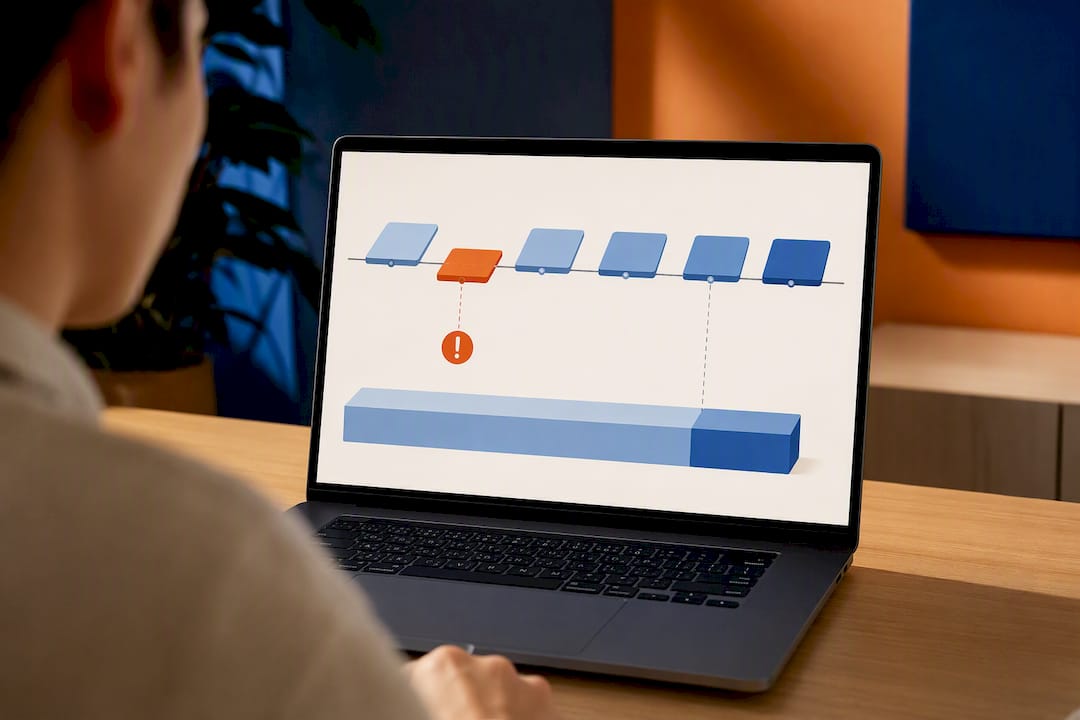
- A Grades Cockpit view surfaces which classes are trending down before the final exam makes it irreversible
Because the syllabus parsing pulls credit hours and grading policy directly from the course document, it sidesteps two of the most common tracking mistakes: wrong credit counts and semesters entered out of order.
What actually matters when you track your GPA
Most GPA advice treats the number itself as the goal, and that's backwards. The number is a lagging indicator. By the time your cumulative GPA moves, the grades that caused it are already locked in. What actually protects your average is catching a slumping course three weeks into the semester, not three days before finals, and that requires tracking that updates faster than your motivation to check it manually.
The manual formula matters because you should understand what's happening under the hood of any tool you use, especially since colleges and scholarship committees sometimes recalculate GPA using their own rules rather than trusting your transcript at face value. But understanding the math and doing the math every week are different things; for example, learning how to calculate science GPA can be especially useful for premed applicants. Students who track consistently tend to catch problems early. Students who check GPA once a semester tend to find out too late to do much about it.
If you're serious about protecting or raising your GPA, the priority isn't picking the perfect calculator. It's building a habit of tracking often enough that a dip shows up while there's still time to fix it.
— Haden
Track your GPA automatically with Semester Flow
If you're tired of re-entering grades into a spreadsheet every time a new assignment posts, Semester Flow removes that step entirely. Upload your syllabus once, and it extracts your grading scale, credit hours, and assignment weights automatically, then keeps your GPA updated in real time as grades come in instead of waiting for you to run the math yourself.

That's the practical difference from a calculator or spreadsheet: those tools give you a snapshot when you remember to update them, while Semester Flow's Grade Goal Projection and Per-Class Grade Profiles keep working in the background, flagging a slumping course before it drags your semester average down. Deadlines sync to Google Calendar automatically, so tracking your GPA stops competing with everything else you're trying to remember. Start by uploading your current syllabus at Semesterflow and see your real-time GPA calculated in minutes.
Sources
- Calculate your GPA – Ohio State (GPA admissions resource)
- How to calculate your GPA on a 4.0 scale — College Board BigFuture