

A student organization academic dashboard combines course deadlines, exam dates, and club events into one shared view, so leaders and members stop double-booking and missing deadlines. The fix is straightforward: pick a template or an integrated planner that links syllabi and calendars automatically, rather than juggling group chats, spreadsheets, and five separate apps. Start with a tool that syncs to Google Calendar and imports syllabi directly.
TL;DR:
- A playlist dashboard is most effective when it focuses on syllabus import and calendar sync, as these features directly solve common deadline management issues.
- Opt for a two-way Google Calendar sync to automatically update deadlines if professors revise exam or assignment dates during the semester.
- Prioritize automating syllabus parsing and calendar integration for a small club over advanced analytics like engagement heatmaps, which are less relevant at this scale.
- Role-based permissions and event approval workflows are essential for officers to control sensitive data and prevent overspending or scheduling conflicts.
- Tools like Semester Flow automate syllabus extraction and offer organization plans, making setup straightforward and cost-effective for both individuals and clubs.
Table of Contents
- What Does a Student Organization Academic Dashboard Actually Do?
- Which Features Actually Matter for a Club Dashboard?
- How Do You Set Up a Dashboard for Your Club?
- What Admin Tools Do Student Leaders Actually Need?
- How Do Integrations and Privacy Actually Work?
- The Real Gap Between Dashboard Hype and Dashboard Use
- Semester Flow: A Direct Option for Academic and Club Management
- Sources
- FAQ
What Does a Student Organization Academic Dashboard Actually Do?
A dashboard built for student organizations does one thing well: it puts academic deadlines and club logistics on the same screen. Instead of checking a syllabus PDF, a group text, and a shared Google Doc separately, members see everything that affects their week in one place.
That matters more than it sounds, and understanding the counseling benefits for college students can support mental health by reducing stress and missed deadlines. A rush chair juggling four classes and a chapter budget review needs to know both are happening the same Thursday, and most tools people cobble together simply don't show that.
Most dashboards fall into one of three shapes:
- Single-club hub: One organization's calendar, roster, and files, built for a group of 15 to 100 members.
- Leadership dashboard: A layer for officers only, showing budgets, attendance trends, and pending approvals.
- Campus-wide portal: An institutional system that pulls data from many clubs and academic sources at once, similar to what CampusGroups runs for entire universities.
The best setups also solve a quieter problem: continuity. When officer boards turn over every year, a dashboard holds institutional memory that used to live in someone's inbox.
Which Features Actually Matter for a Club Dashboard?
Not every feature on a vendor's landing page earns its place. Some are essential, some are nice extras, and a few are genuinely rare.
Academic features to look for:
- Syllabus import or AI parsing that extracts class schedules, assignments, and exam dates automatically
- Two-way Google Calendar sync, not a one-time export
- Deadline tracking that flags overlapping due dates across members' different course loads
- An optional GPA or academic progress view for members who want it
Organization features that separate a real tool from a glorified spreadsheet:
- A member directory with contact info and role assignments
- A shared events calendar with RSVP and attendance capture
- A resource library for bylaws, meeting minutes, and budget templates
- Role-based permissions, so not every member can edit the budget or the roster
Analytics is where most club tools fall short. Institutional systems like UC San Diego's Student Activity Hub visualize submission status by group and weekly activity heatmaps to flag disengagement early. A club-scale version of that same idea, tracking attendance and event turnout, gives officers a reason to reach out to a member before they quietly disappear.
Pro Tip: Rank these three feature groups by what your organization struggles with most this semester. A dashboard that nails syllabus sync but has no RSVP tracking solves half your problem, not none of it.
How Do You Set Up a Dashboard for Your Club?
Setting one up takes an afternoon, not a semester. Here's the order that avoids rework later.
- Choose a template and define its scope. Decide upfront whether this covers academics only, club logistics only, or both combined. Templates like the Student Org Dashboard show the baseline structure: overview, features, member directory, calendar.
- Import syllabi. Upload PDFs manually or use a tool with AI parsing to pull out class dates, assignments, and exams without retyping them.
- Map class schedules onto calendar slots, checking for conflicts with recurring club meetings before you finalize anything.
- Sync to Google Calendar and layer in recurring org events: general meetings, socials, philanthropy dates. Set notification rules so members get reminders 24 to 48 hours out, not the morning of.
- Create member roles and populate the resource library with bylaws, past meeting notes, and budget sheets.
- Write a handover checklist for the next officer team, covering login credentials, calendar ownership, and where documents live.
Pro Tip: Do the syllabus import and calendar sync before you touch member roles. Getting the academic backbone right first means you're not re-mapping deadlines after fifty people have already RSVP'd to conflicting events.
What Admin Tools Do Student Leaders Actually Need?
Running a club dashboard is different from using one as a member. Officers need controls that protect privacy, distribute work, and catch problems before they become crises.
- Role-based access limits who can see personal contact details and who can edit budgets, so a general member can't accidentally delete the treasurer's spreadsheet.
- Event approval and budgeting workflows let a treasurer sign off on spending before an event goes live on the shared calendar, avoiding surprise overdrafts.
- RSVP and attendance tracking turns "we think turnout was low" into an actual number you can act on.
- Engagement analytics flag members who've missed three meetings in a row, which is exactly the kind of pattern that institutional dashboards catch through demographic-level engagement data, scaled down to club size.
- Document versioning and onboarding templates mean the next social chair isn't rebuilding a budget template from memory.
None of this requires enterprise software. It requires a tool that separates "what members see" from "what officers control," and most club-built spreadsheets never make that split.
How Do Integrations and Privacy Actually Work?
Dashboards get their real value from what they connect to, not from the interface itself.
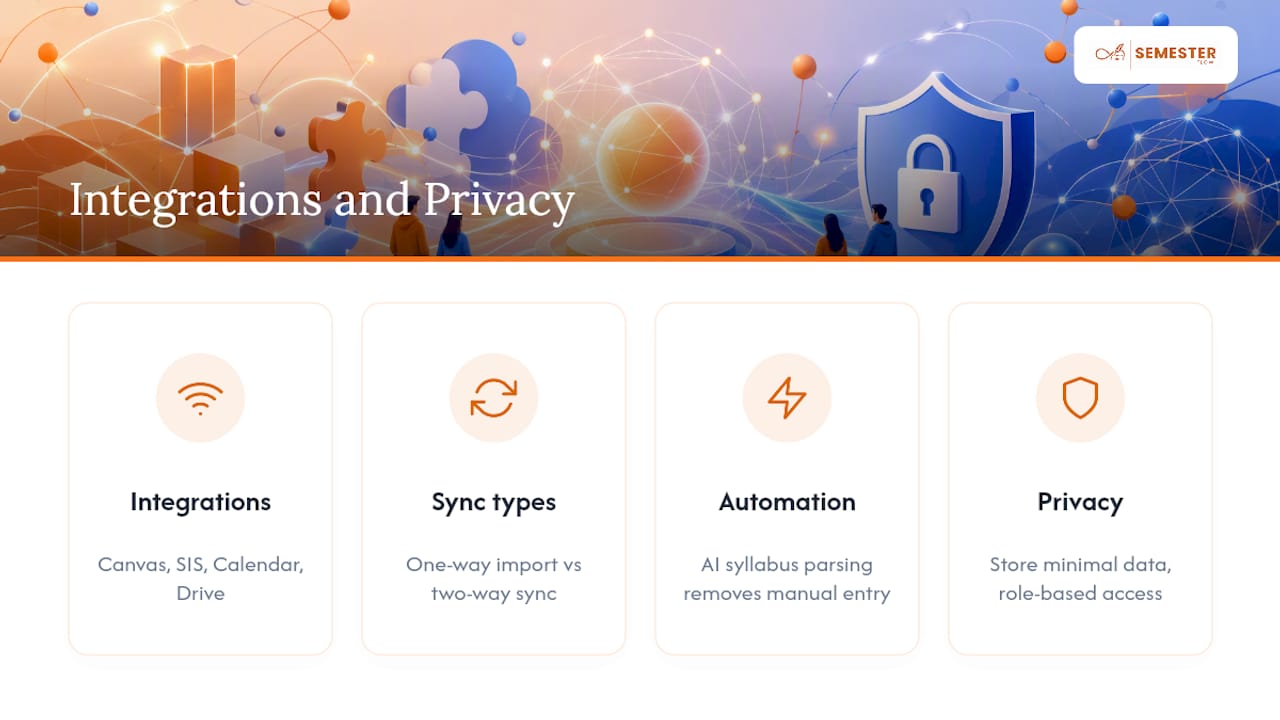
Common integrations include Canvas or Blackboard for assignment feeds, campus SIS systems for enrollment and grade data, Google Calendar for scheduling, and Google Drive for shared documents. Personalized student portals, like the ones StudentFirst builds for institutions, adapt what a student sees based on their program and academic standing, surfacing the right next step instead of a generic feed.
That said, know the difference between a one-way import and a true two-way sync. A one-way calendar import pulls your syllabus dates in once; a two-way sync updates automatically if a professor moves an exam date. Syllabus parsing through AI removes the manual data entry step entirely, which is where most of the time savings come from.
Privacy comes down to a simple rule: limit how much personal data your dashboard actually stores, restrict access by role, and never bypass your institution's own policies on SIS or LMS data access. A club dashboard can centralize calendars and documents, but it doesn't replace records your university controls.
The Real Gap Between Dashboard Hype and Dashboard Use
Most advice on this topic treats every feature as equally urgent, and that's where clubs waste time. Officers spend hours comparing dashboards with twelve modules when the entire problem they're solving is two things: getting deadlines out of a syllabus PDF and onto a shared calendar without retyping them.
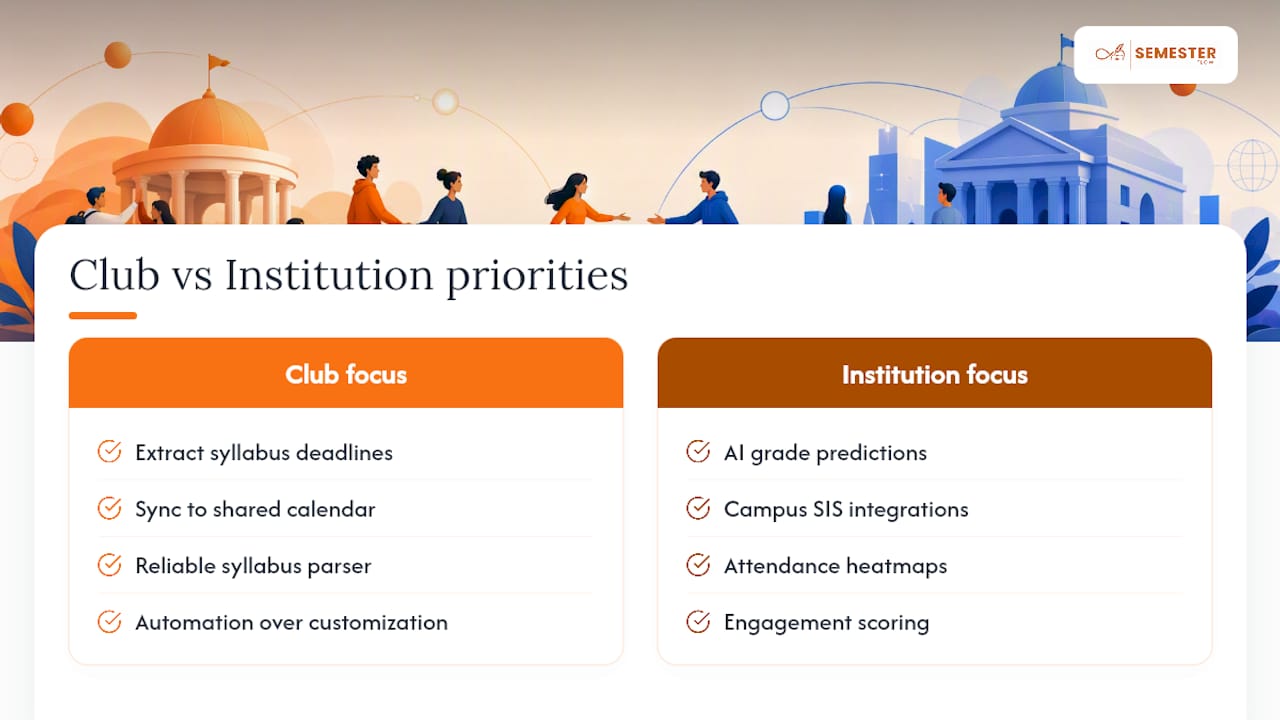
The advanced stuff, AI-driven grade predictions, campus-wide SIS integrations, matters far less at the club level than a reliable syllabus parser and a calendar sync that actually stays synced. Bigger institutional projects chase those advanced features because they're solving for thousands of students. A 40-member club chasing the same complexity is solving the wrong problem.
Prioritize automation over customization first. A dashboard with fewer buttons that reliably pulls syllabus dates into Google Calendar beats an elaborate system that still requires someone to manually re-enter due dates every week. Get that right, then worry about attendance heatmaps and engagement scoring. Most organizations never get past week one of "set it up right" because they start with the wrong priority.
— Haden
Semester Flow: A Direct Option for Academic and Club Management
Most of the setup work described above, syllabus parsing, calendar sync, deadline tracking, is exactly what Semester Flow automates from the start.

Upload a syllabus, even a photo of one, and the AI extracts class schedules, assignments, and exam dates, syncing them directly to Google Calendar. No manual date entry, no missed updates when a professor changes a due date. For organizations, group onboarding brings new members into a shared calendar and document space fast, while an admin dashboard gives officers the role permissions and progress tracking that a spreadsheet never will. Real-time GPA tracking and grade projections flag a slumping course before it becomes a transcript problem, and per-class grade profiles show exactly which assignments matter most to a final grade.
Individual plans start at $7.99 a month for Pro or $15 a month for a Parent monitoring account, and a free trial lets you test syllabus parsing before committing. Organizations get bulk access with pricing available on request. Check the pricing page to start a free trial or set up an organization plan for your chapter.
Sources
- Integrated University Student Dashboard | CampusGroups
- Student Activity Hub (UC San Diego)
- SIS | Student Portal (StudentFirst)
- Student Org Dashboard (Zoom Gallery)
FAQ
What Is a Student Organization Academic Dashboard?
It's a shared digital hub that combines course schedules, assignment deadlines, and club events into one calendar view. It replaces the mix of group chats, spreadsheets, and separate apps most clubs default to.
How Do I Set Up an Academic Dashboard for My Club?
Pick a template, define whether it covers academics, org logistics, or both, then import syllabi and sync everything to Google Calendar. Tools like Semester Flow automate the syllabus parsing step so you're not manually re-entering dates.
Does Semester Flow Work for Organizations, Not Just Individuals?
Yes. Semester Flow offers an Organization plan with group onboarding, an admin dashboard, and shared document tracking, priced on request through the pricing page.
What's the Difference Between One-Way and Two-Way Calendar Sync?
A one-way sync imports dates once and won't update if a deadline changes. A two-way sync keeps your calendar current automatically, which matters most when professors revise exam dates mid-semester.
How Much Does Semester Flow Cost?
The Pro plan is $7.99 per month, and a Parent monitoring account is $15 per month. A Free Trial is available at no cost, and Organization plan pricing is available on request.