

Time blocking schedules when you work; time boxing limits how long you work. Use blocking as your calendar backbone, then add boxing inside individual blocks whenever a task needs a firm deadline. That single combination, sometimes called the hybrid method, solves more real scheduling problems than either technique alone.
TL;DR:
- Using a hybrid method of time blocking and boxing helps manage both flexible and rigid tasks more effectively by optimizing focus and urgency.
- Schedule deep work in blocks for creative or exploratory tasks, then use shorter boxing timers within those blocks for tasks prone to expansion, like problem sets or reading.
- Pick task types based on natural endpoints and perfectionism tendencies, applying boxing for finite tasks and blocking for tasks requiring flexibility.
- Start planning the night before with a skeleton schedule and adjust box lengths over time based on real data to improve accuracy and reduce overrun issues.
- Employ tools like timers and schedule buffer time to prevent overbooking and account for interruptions, especially for those with ADHD or time blindness.
Table of Contents
- Time Boxing vs Time Blocking: What Actually Separates Them
- When Should You Use Blocking, Boxing, or Both?
- How to Set Up a Blocking and Boxing System That Actually Sticks
- The Mistakes That Quietly Wreck Both Methods
- What a Student's Hybrid Week Actually Looks Like
- A Four-Week Experiment Worth Running Yourself
- Let Semesterflow Handle the Blocking So You Can Focus on the Boxing
- Sources
Time Boxing vs Time Blocking: What Actually Separates Them
The distinction comes down to one question each method answers. Time blocking assigns tasks to specific periods on your calendar, answering "when." Time boxing sets a strict maximum duration for a task and forces you to stop the moment the clock runs out, answering "how much." That framing comes straight from University of Illinois HR's guidance on personal time management, and it's the cleanest way to keep the two terms from blurring together.
The Bullet Journal team puts the psychology of it well: blocking protects your time from other people, while boxing protects your time from yourself. A block is a soft container. If your 9 a.m. writing session runs to 9:20, nothing breaks. A box is a hard constraint. If you gave yourself 25 minutes to outline an essay and the timer hits zero, you stop, whether you're finished or not.
That difference creates real trade-offs:
- Blocking gives you flexibility but leaves room for tasks to expand past their allotted time.
- Boxing gives you urgency and directly counters Parkinson's Law, the tendency for work to stretch to fill whatever time is available.
- Blocking protects creative work, which often needs slack to breathe.
- Boxing sharpens task estimation over time, since you're forced to calibrate against a clock instead of a vague sense of "however long it takes."
A common anchor point: schedule a substantial deep work block for a research paper, then run Pomodoro boxes with breaks inside it. The block sets the container; the boxes keep you moving.
When Should You Use Blocking, Boxing, or Both?
Pick based on the task, not the calendar slot. Open-ended, creative, or exploratory work fits blocking better, since forcing a hard stop on a half-formed idea usually kills momentum. Repetitive, finite, or procrastination-prone tasks fit boxing, because they benefit from external pressure.
Three questions settle most decisions:
- Does the task have a natural end point? If yes (a problem set, an inbox cleanup, a first draft), box it. If the scope is fuzzy (brainstorming, studying a new concept), block it.
- Are you prone to perfectionism on this task? Boxing forces you to ship something imperfect rather than polish forever.
- Will interruptions likely hit this window? If so, block generously and box the specific task once you're actually sitting down to do it.
Quick use-case map: meetings and classes get blocked because they're fixed externally. Email and admin work get boxed with short durations to prevent them quietly eating your morning. Creative writing and studying a new subject get blocked with soft edges. Homework problem sets and reading assignments get boxed, since both have a clear finish line and both love to expand if you let them.
How to Set Up a Blocking and Boxing System That Actually Sticks
Start the night before, not the morning of. Spend five minutes mapping tomorrow onto your calendar in three chunks: a morning deep work block, a midday admin block, and an afternoon or evening meetings block. This alone eliminates most of the daily decision fatigue that wrecks focus before 10 a.m.
- Block first, box second. Lay out your calendar skeleton for the week, then decide which individual tasks inside those blocks need a hard timer.
- Pick a box length that matches the task. Use 25/5 for anything you're avoiding (Pomodoro's classic split), 50/10 for focused single-subject study, and 60 to 90 minutes for genuine deep work like writing or coding.
- Use a calendar for blocks and a separate visible timer for boxes. Most calendar apps show your time as busy but won't actually stop you at the end, so a phone timer or a dedicated app closes that gap.
- Record every overrun. If your box consistently runs 15 minutes long, that's data, not failure. Adjust the next box's length instead of guilt-tripping yourself.
- Run a one-week test. Track three numbers only: tasks completed inside their box, total focused hours, and a rough 1 to 5 stress rating each evening.
If you're new to either method, start with plain blocks for a couple of weeks before layering in strict boxes. Building scheduling reliability first makes the hard stops feel like structure instead of punishment.
Pro Tip: Set your timer for five minutes less than you think you need. That extra pressure produces sharper first drafts than a generous deadline ever does.

The Mistakes That Quietly Wreck Both Methods
Overbooking is the most common failure. Filling every calendar slot leaves no room for the inevitable overrun, and one delayed meeting cascades into a wrecked afternoon. Stanford's Center for Teaching and Learning recommends building real uncommitted "blank" time into your week specifically to absorb that slippage.
A few other patterns show up constantly:
- Ignoring hard stops defeats the entire point of boxing. If you let a box slide "just this once," it will slide every time after.
- Guessing at box lengths instead of adjusting from real data leads to boxes that are either too tight to finish anything or too loose to create urgency.
- Skipping accommodations for time blindness or ADHD sets people up to fail. Visible countdown timers, alarms at the midpoint of a block, and shorter boxes (15 minutes instead of 25) tend to work better here. The strategies in this breakdown of task paralysis apply directly to boxing struggles.
What a Student's Hybrid Week Actually Looks Like
A workable student week blocks fixed commitments first: classes, labs, and recurring study sessions. Then it boxes the tasks that tend to balloon, like problem sets and reading assignments, so a two-hour "study" block doesn't quietly become four hours of low-focus rereading.
A realistic Tuesday might look like this:
- 9 to 10 a.m.: Class block (fixed, non-negotiable)
- 10:30 a.m. to noon: Study block for chemistry, with two 40-minute boxes for problem sets inside it
- 1 to 2 p.m.: Reading block, boxed at 45 minutes per chapter
- 4 to 6 p.m.: Blank buffer time, no assignments allowed
Stanford's guidance on protecting blank time in a weekly schedule matters even more for students, since exam weeks and group project deadlines routinely blow through a tightly packed calendar. Semesterflow builds this hybrid directly into its scheduling logic: upload a syllabus, and it extracts due dates, exams, and reading assignments, then auto-generates the calendar blocks around them. When a grade in one course starts slipping, it flags that class so study boxes get redirected there before the problem compounds.
A Four-Week Experiment Worth Running Yourself
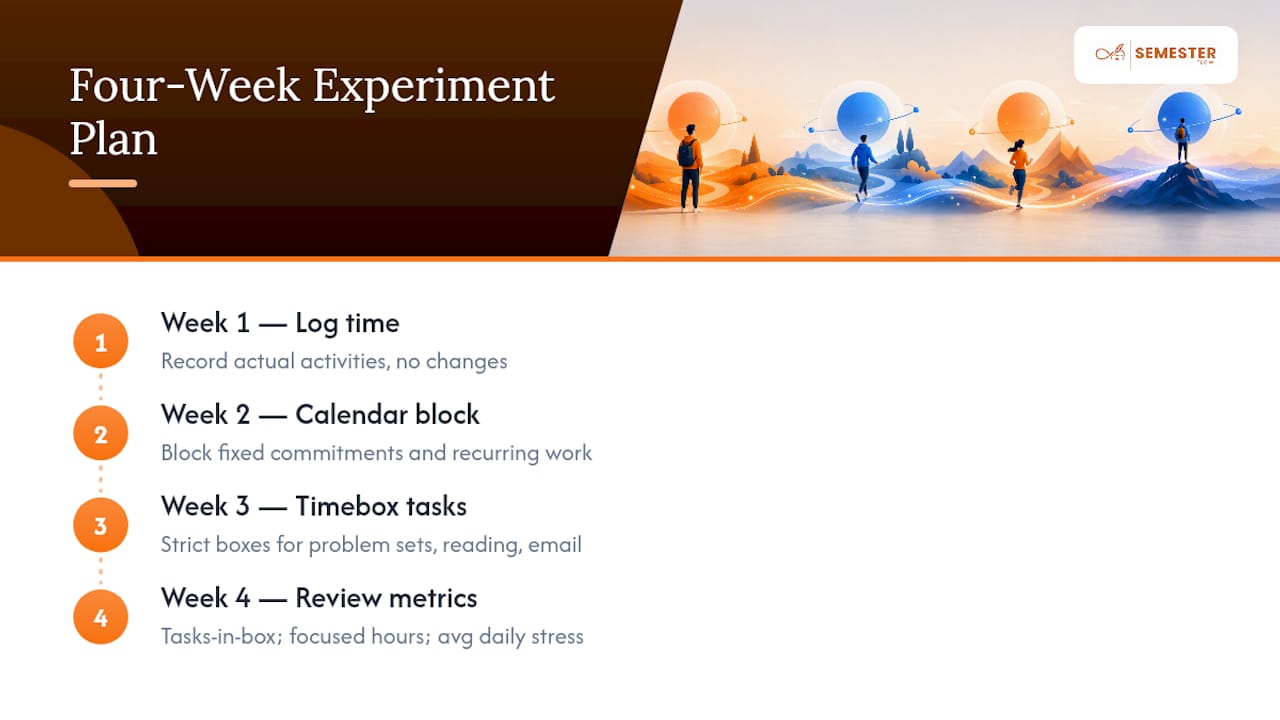
Test this instead of debating it in theory. Week one, just log how you actually spend your time, no changes yet. Week two, add calendar blocking around fixed commitments and recurring work. Week three, layer in strict time boxes for the tasks that tend to expand, problem sets, reading, email. Week four, review three numbers: tasks finished inside their box, total focused hours logged, and your average daily stress rating.
Most people find blocking alone fixes the chaos, while boxing fixes the procrastination. You may find you barely need boxing at all, or that you need it on exactly two task types. That's the point of running the numbers instead of guessing.
— Haden
Let Semesterflow Handle the Blocking So You Can Focus on the Boxing
The hardest part of this whole system isn't the discipline, it's the setup. Building weekly blocks by hand from a stack of syllabi eats the exact time you're trying to protect. Semesterflow removes that step entirely: upload your syllabus, and it parses class times, assignment deadlines, and exam dates, then auto-generates calendar blocks synced straight to Google Calendar.

From there, the boxing part gets easier too. Semesterflow's grade tracking cockpit and per-class grade profiles flag which courses are slipping, so you know exactly where to point your next study box instead of guessing. Pair that with grade goal projections to see what score you actually need on the next assignment to hit your target. Try the free tier at Semesterflow and let it build your first week of blocks automatically.
Sources
- Growth and Advancement — Taking My Time (University of Illinois HR)
- Weekly planning & time-blocking method (Stanford Center for Teaching and Learning)
- The Time Boxing & Blocking Method Guide (Super Productivity)
- Time blocking vs time boxing (Hubstaff)