

Upload your syllabus (PDF, DOCX, or plain text) to an automated parser that detects assignment dates, exams, and recurring class meetings, then push those previewed events straight into Google Calendar or Apple Calendar. If a tool doesn't offer direct sync, export the parsed results as a CSV or ICS file and import that manually. Either way, preview every event before it goes live. A parser that misreads "Week 6" as the wrong week is more common than you'd think.
TL;DR:
- Most tools support uploading PDF, DOCX, and TXT syllabus files and require a manual review of the preview to catch errors before syncing.
- Connecting to Google Calendar entails OAuth authorization, and a dedicated course calendar helps isolate and delete incorrect or outdated events easily.
- Exporting as ICS or CSV remains an option for Apple Calendar and LMS feeds, but using both simultaneously can cause duplicate entries unless carefully managed.
- Human verification before importing is essential, especially for nonstandard or ambiguous syllabi, to prevent bulk errors from misinterpreted relative dates or recurring events.
- Trusted tools should offer clear privacy policies, support account disconnection, and prioritize user control over data and sync permissions.
Table of Contents
- How Syllabus-to-Calendar Tools Actually Work
- Step-by-Step: Upload a Syllabus and Import Events Into Google Calendar
- Syncing to Apple Calendar, iPhone, and LMS Feeds
- Human-in-the-Loop: Fixing Messy or Nonstandard Syllabi
- Privacy and Security Checklist Before You Connect a Calendar Tool
- Building Reliable Syllabus Parsing at Semesterflow
- Try Semesterflow: Turn Your Syllabus Into a Schedule in Minutes
- Sources
How Syllabus-to-Calendar Tools Actually Work
Getting from a PDF syllabus to a working calendar involves four steps: upload, parse, preview, sync. Understanding what happens in the middle two steps tells you whether to trust the output.
Most tools accept PDF, DOCX, and plain text, since those cover roughly every syllabus a professor hands out. Once uploaded, the file goes through a parsing layer. Student-built projects like Syllabus-Connect show the pattern clearly: text gets pulled from the document, then regex rules and keyword matching flag likely date patterns, while an NLP layer interprets context, distinguishing "Midterm Exam" from "Reading Due." Similar projects, including Syllabus → Google Calendar, rely on this same regex-plus-NLP combination and normalize every date into a standard format before anything touches a calendar.
That normalization step matters more than it sounds. Google's Calendar API requires RFC 3339 timestamp formatting, and malformed dates are a leading cause of failed imports and duplicate events. A date parsed as "TBD" or "see syllabus" has to get flagged, not guessed at.
Connecting to Google Calendar happens through OAuth 2.0. You authorize the tool once, it requests calendar access, and confirmed events get written using the API's events.insert method. This is also why the preview step matters so much: it's your last checkpoint before a parser's guess becomes a permanent entry on your calendar.
What to look for in any tool:
- Support for PDF, DOCX, and TXT uploads without reformatting
- A visible preview table, not a blind "add all" button
- Clear handling of recurring meetings (Tuesdays/Thursdays, not just single dates)
- OAuth connection instead of a password request
Pro Tip: Create a separate "Course Deadlines" calendar in Google Calendar before you sync anything. If a parser gets something wrong, you delete one calendar instead of hunting through your personal one event by event.
Step-by-Step: Upload a Syllabus and Import Events Into Google Calendar
Converting a PDF into working calendar events takes about five minutes once you know the sequence.
- Scan the syllabus first. Note anything ambiguous, like "Week 6 quiz" or "papers due Tuesdays," since these trip up automated parsers more than a clearly written "October 14" ever will.
- Upload or paste the text into your chosen parser. Most tools take a direct file upload; some also accept pasted text if your syllabus is a scanned image with an OCR layer already applied.
- Review the preview table. This is where you catch a mislabeled exam or a recurring lab session that only got captured once.
- Connect your Google account via OAuth, then choose which calendar receives the events: your primary calendar or a course-specific one.
- Add the events and set reminders. A day-before nudge for essays, a week-before flag for exams.
- If you're stuck exporting to CSV or ICS instead, open Google Calendar's settings, go to Import & Export, and upload the file directly. It takes seconds once the file is formatted correctly.
The time savings add up fast. Research on student administrative friction points to missed deadlines and manual tracking overhead as real costs to academic performance, which automated imports are specifically designed to cut down. Typing fifteen assignment dates by hand across four classes takes a lot longer than reviewing a pre-filled preview table and clicking confirm.
Syncing to Apple Calendar, iPhone, and LMS Feeds
Google Calendar isn't the only destination. Apple users need the ICS route, and your school's learning management system might already have a feed you're ignoring.
To get parsed events onto an iPhone or Mac, export the syllabus data as an ICS file, then open it directly on a Mac (it launches Apple Calendar automatically) or share it to your iPhone via email or AirDrop, where tapping the file prompts an import. Most LMS platforms, including Canvas and Blackboard, offer a calendar export that produces a live ICS feed of assignments and due dates.
- Use the LMS feed when you want ongoing updates. A professor who pushes back a due date will reflect it automatically.
- Use a one-time syllabus import when the LMS calendar is incomplete or when your professor never updates it after the first week.
- Avoid running both at once on the same calendar without checking for overlap. Subscribing to an LMS feed and importing a parsed syllabus separately often creates duplicate entries for the same exam.
If you run both, put the LMS feed and the parsed syllabus events on separate calendars inside your calendar app so you can spot and delete duplicates easily.
Human-in-the-Loop: Fixing Messy or Nonstandard Syllabi
No parser handles every syllabus format perfectly. A professor who writes "second Tuesday after spring break" instead of a real date will confuse even a strong NLP model, and that's exactly when human verification earns its keep.
HITL verification, meaning a human checks parsed output before it goes live, prevents the kind of bulk errors that happen when a parser misreads a recurring lab as a single event or mixes up "Exam 1" with "Exam 2" week.
- Export the parsed events to a spreadsheet instead of syncing directly.
- Scan for relative dates ("two weeks from today"), semester-year mismatches, and mislabeled recurring sessions.
- Correct entries manually in the spreadsheet.
- Re-import the cleaned file as CSV or ICS.
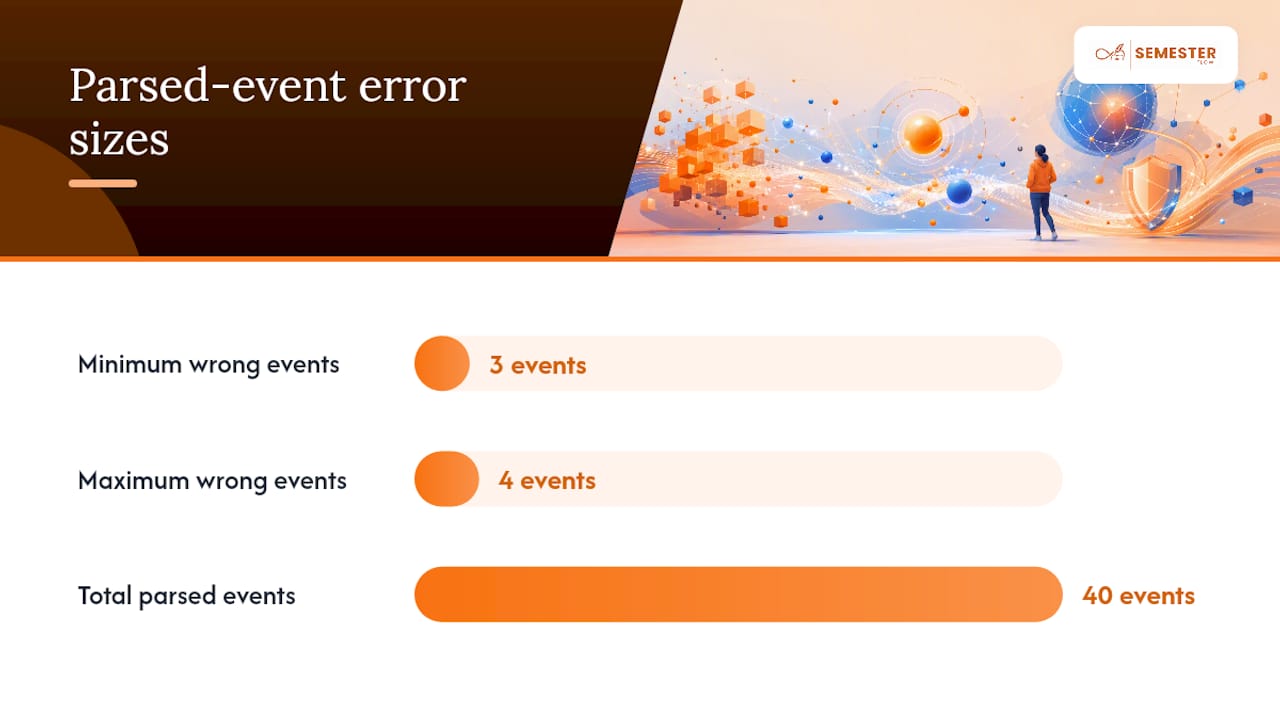
Pro Tip: If only three or four events out of forty look wrong, don't reject the whole parse. Fix those manually in the calendar app directly. It's faster than re-running the entire import.
Privacy and Security Checklist Before You Connect a Calendar Tool
Connecting any app to your Google account means granting calendar access, so read that OAuth permission screen instead of clicking through it. Choose the least-privileged option available; some tools only need access to a single calendar rather than your entire account.
Favor tools that show you a preview before writing anything, and that let you delete or export your data on request. A separate course calendar, a small step that keeps imported events away from your personal schedule, also makes cleanup trivial if something goes wrong.
Before connecting anything, check for:
- A published privacy policy that states what's stored and for how long
- A real support contact, not just a form that vanishes into a queue
- An explicit way to disconnect calendar access and delete synced events
- A stated data retention policy, especially for uploaded syllabus files
Building Reliable Syllabus Parsing at Semesterflow
The pipeline sounds simple on paper: upload, parse with rules and NLP, preview, sync. Getting it reliable is the hard part.
What separates useful syllabus tools from novelty ones is what happens after sync. Semesterflow pairs calendar events with grade tracking and actionable alerts, so a due date isn't just a reminder. It's tied to whether that assignment matters for your final grade.
— Haden
Try Semesterflow: Turn Your Syllabus Into a Schedule in Minutes
Semesterflow skips the manual export-and-import dance entirely. Upload your syllabus, and it parses due dates, exams, and recurring class meetings directly, then syncs the confirmed events straight to your Google Calendar with a preview step built in at every stage.

Getting started takes three steps: create an account, upload a syllabus (PDF or DOCX both work), and review the detected events before anything gets added. You connect your Google account through the same OAuth process described earlier, so you're never handing over a password, and you choose which calendar receives the synced events. Semesterflow's security and privacy practices are documented for anyone who wants the specifics before connecting an account. Beyond the calendar sync, the platform tracks GPA in real time and flags at-risk classes before a slumping grade becomes a surprise, using grade projection to show what you'd need on remaining assignments. If your current approach is a stack of syllabi and a half-updated planner, start with Semesterflow and upload your first syllabus today.
Sources
Developers building their own syllabus parser can study working implementations on Devpost's Syllabus-Connect project and the Syllabus-to-Calendar GitHub repository for CSV/ICS output examples, plus Parseur's human-in-the-loop guidance for verification workflows. For context on why deadline tracking matters academically, see the Life Sciences Education study on student administrative friction, and for broader planning habits, theNeedle's piece on single-task focus pairs well with a freshly synced semester calendar.