

An AI syllabus reader takes the PDF, document or photo your professor hands out and turns it into structured data: class times, assignments, due dates, exam dates and grading weights. A good one then puts those items on your calendar and uses the grading rules to show where your grade is heading. This guide explains what a reader extracts, what you should confirm yourself, and how to use the output for grade projections and trend analysis.
TL;DR
- An AI syllabus reader extracts schedule, assignments, exams and grading rules from a syllabus so you don't type them in by hand.
- It is not a syllabus generator (which drafts a syllabus for faculty) and not a text-to-speech reader.
- Always compare the extracted dates and weights against the original once, early in the term, then rely on the calendar.
- Grade projections are weighted averages, so they are only as good as the weights and the scores you enter.
- A trend over three or more graded items tells you more than any single score, and it is the earliest signal that a course needs attention.
Table of Contents
- What an AI syllabus reader actually is
- What a syllabus reader extracts
- What to verify after you upload
- From extracted dates to a calendar you will use
- How grade projections work
- Grade trend analysis: reading the direction, not just the number
- Using AI tools responsibly with your syllabus and grades
- Our perspective
- Try it on your own syllabus
- FAQ
- Sources
What an AI syllabus reader actually is
The phrase gets used for several different tools, so it helps to separate them.
A syllabus reader (parser) takes an existing syllabus and pulls out the facts in it. This is the student-side tool: you upload, it extracts, you get a schedule.
A syllabus generator works in the opposite direction. It drafts a new syllabus for an instructor, with sections for goals, units, grading and policies. If you are a student, you will never need one.
A library-side syllabus assistant is a third type. Some library systems let faculty or library staff upload a syllabus so the AI can build an organized list of course materials linked to library collections. That helps with reading lists, not with your deadlines.
A generic "AI reader" usually means a tool that reads text aloud or summarizes a document. It does not know that "Midterm 2, 20%" is an exam worth a fifth of your grade.
When you search for an AI syllabus reader as a student, you want the first type: something that understands the structure of a syllabus and turns it into a plan.

What a syllabus reader extracts
Syllabi are messy. Some are tidy tables, others are six pages of prose with the real deadlines buried in a footnote. Research projects show how much structure a reader has to recover. The Open Syllabus project's extraction model maps raw syllabus text into a taxonomy of 22 entity types, including course code, dates, class days and times, instructor, credits, learning outcomes, grading rubric, assessment strategy, topic outline and assignment schedule.
For a student, those entities group into a few practical buckets:
| Bucket | What it includes | Why it matters to you |
|---|---|---|
| Course basics | Title, code, instructor, credits, meeting days and times | Builds your weekly class schedule |
| Schedule | Assignment due dates, exam dates, reading deadlines | Fills your calendar |
| Grading | Category weights, grading scale, drop-lowest rules | Drives GPA and grade projections |
| Policies | Attendance, late work, make-up exams | Explains how points can be lost |
An open-source syllabus reader project on GitHub goes a step further. It sorts output into six categories: basic info, schedule, teaching content, grading, other notes and risk flags. Its dedicated risk pass looks for things like attendance-based failure triggers, grade threshold traps, workload collision weeks, late-work traps, hidden costs, syllabus quiz requirements, group work risks, ungraded-but-required items and strict prerequisites.
That last category is the useful idea. The most valuable thing a reader can do is not copying dates, it is noticing the sentence on page four that says missing three classes fails you.
What to verify after you upload
A reader saves you an hour of typing per course, but your syllabus is the contract, so spend ten minutes confirming the output once. This is a one-time habit at the start of the term, not a daily chore.
- Dates against the original. Open the syllabus beside the extracted list and check the first three or four items per course, then the exams. Look for ambiguous formats such as "10/11", which means different things to different readers, and for rows that say "TBD" or "week of."
- Weights add up to 100%. Add the category weights. If homework is 20%, quizzes 10%, two midterms 25% each and a final 30%, you have 110% and something was misread or the syllabus has an extra-credit line.
- Special rules. Look for "lowest quiz dropped," "final replaces lowest midterm," or "must pass the final to pass the course." These change projections and should be noted as rules, not just numbers.
- Photos and scans. If you uploaded a phone photo, check that tables did not shift a column. Our reader is built to handle syllabus formats including photos, and a quick glance still costs nothing.
- Later changes. Instructors revise syllabi. When a professor announces a new exam date in class, update it in your planner the same day.
Our guide on how to extract, verify and sync syllabus assignments walks through this check step by step.
From extracted dates to a calendar you will use
Once the data is right, the goal is one consolidated view. A calendar that holds every course lets you see weeks where several high-stakes items land together. Those crunch weeks are the real planning problem in college: no single deadline is unmanageable, but a paper, a midterm and a lab report in the same four days is.
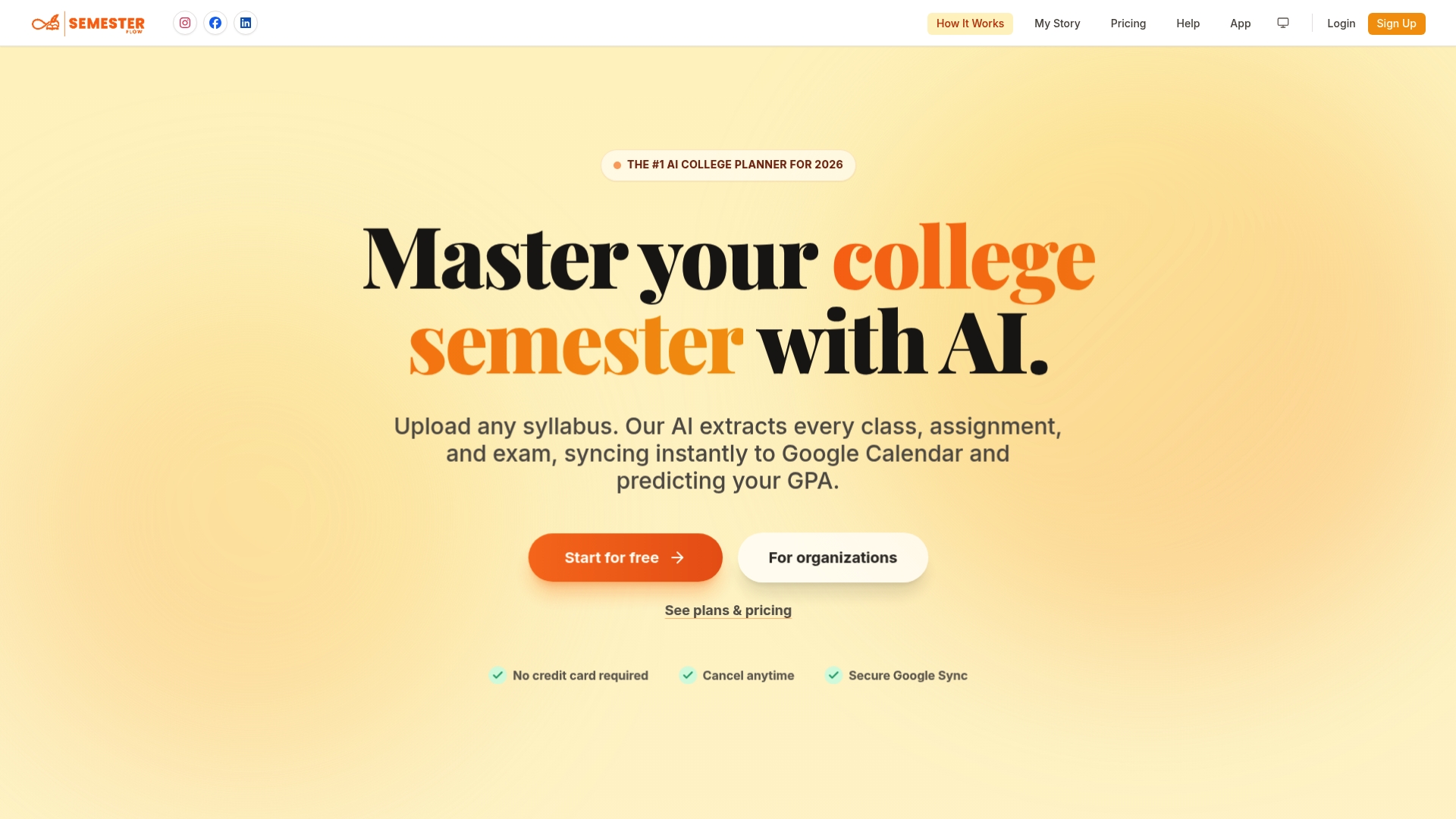
With Semester Flow you upload a syllabus, the AI parses it, and the assignments, exams and class times sync with Google Calendar. If you want the full walkthrough, see how to upload a syllabus to your calendar and how assignments land in Google Calendar without typing dates.
Once everything is on one calendar, a few habits make the difference:
- Scan two weeks ahead every Sunday. Mark any week with three or more graded items as a crunch week.
- Work backward from big items. Put a start date for a paper or project two or three days earlier than you think you need.
- Move study blocks, not deadlines. Deadlines are fixed. The flexible part is when you prepare.
If you want help planning around busy stretches, an AI assistant for college students can also take on calendar management and errands, which frees up time in crunch weeks. For the deadline system itself, our write-up on a campus-tested way to manage college deadlines covers the routine in detail.
How grade projections work
Grade projection sounds like prediction, but it is arithmetic. Almost every syllabus uses a weighted average, and that is what a projection tool computes.
The standard formula for the question "what do I need on the final?" is the one used in Pearson's test grade calculator: course grade equals current grade × (1 − w) + final exam score × w, where w is the final's weight as a fraction of the total. The same calculator tells you when a target is mathematically out of reach even with 100% on the final, or already guaranteed even with 0%. It also uses a standard U.S. letter-grade scale, which instructors may change, so your syllabus scale wins.
A worked example
Say your current grade going into the final is 84%, and the final is worth 30% (w = 0.30).
- Your current grade contributes 84 × 0.70 = 58.8 points.
- To finish with an 85%, you need 58.8 + 0.30 × F = 85, so F = 87.3%.
- To finish with a 90%, you would need F = 104%, which is not possible.
Seeing that in October, not in December, is the point. If a 90 is out of reach, you can decide whether the better use of your time is the final in this class or the one in another course where the same effort moves your GPA more.
Assumptions that affect projections
- Weights must be right. This is why the verification step above matters.
- Scale matters. A 90 is an A in many courses, but some use plus/minus cutoffs or a curve.
- Dropped scores change the math. If the lowest quiz is dropped, enter the rule, not just the scores.
- Ungraded items are unknown. Projections assume the rest of your work scores like the part already graded, unless you enter a target instead.
For the formula applied to a full set of categories, see how to calculate weighted grades with one simple formula.
Grade trend analysis: reading the direction, not just the number
A current grade is a snapshot. A trend tells you where the course is going. You don't need statistics software to do it, only a consistent way of looking at your scores.
What to track
- Score per graded item, in date order. Not just the running average, because the average hides movement.
- Category averages. Homework at 96% and exams at 71% is a different problem from a flat 83% across the board.
- Weight of what remains. A falling trend matters more when 60% of the grade is still ahead than when 10% is.
- Your distance from the next grade cutoff. Being 0.4 points from a B+ is a different situation than being 4 points away.
How to interpret changes
Take four quiz scores: 92, 88, 85, 79. The average is 86, which looks fine. The direction is a drop of about four points per quiz. If that continues, the next quiz lands near 75, and the average will keep falling even if you score the same as last time, because the older high scores matter less once enough new ones arrive.

A simple rule of thumb: compare the average of your last two items with the average of the first two. A gap of more than five points either way is worth a response.
Two cautions keep you from overreacting:
- One low score is noise. A single bad quiz on a tough topic is not a trend. Look for two or three in a row.
- Compare like with like. Exams and homework behave differently, so look at the trend within a category.
What to do when the trend is down
Pick the cause by category. If homework is fine but exam scores are slipping, change how you prepare: practice problems under time, not rereading. If every category is dropping, look at your workload that week. Go to office hours with specific questions from the graded items. Instructors respond better to "I lost points on question 3 and 5 in the same way" than to "I'm struggling."
If your campus offers tutoring, an academic advisor or a learning center, a falling trend is exactly the moment to use them, ahead of the next exam, not after it.
Using AI tools responsibly with your syllabus and grades
Your syllabus and your grades are your course records, so treat them with care.
- Read the course AI policy. Many syllabi state what AI use is allowed for coursework. A planner that reads your syllabus is a different use from a tool that writes your essay, but your instructor's policy and your school's academic integrity rules decide what is acceptable. If you are unsure, ask the instructor.
- Upload only what you need. A syllabus is enough to build a schedule. You don't need to upload graded work, exam content or someone else's materials.
- Keep the original. Store the source syllabus where you can find it. Our integration organizes documents in Google Drive for exactly this reason.
- Use the output to plan, not to decide for you. A projection is a guide to where to spend effort.
If you share a household with others, or live with roommates whose schedules you coordinate, see our piece on coordinating roommate schedules with AI parsing.
Our perspective
We built Semester Flow because a syllabus is the most important document of the term and the least used. Most students read it on the first day, copy a few dates into a calendar, and never open it again until something goes wrong.
We think a syllabus reader should do three jobs. First, extract everything, including the grading policy and not just the dates, from whatever format the professor uses, photos included. Second, keep the calendar in sync both ways so the plan on your phone is the plan that is true. Third, keep reading the numbers after the first week: real-time GPA, grade trends, projected final-grade requirements and alerts when a class starts to slip.
That last job is what separates a planner from a list of dates. Our approach is to flag an at-risk course early and give an actionable plan, so you have weeks to respond, not hours. For fraternities, sororities and chapters, the same logic scales: group onboarding and admin dashboards let academic chairs see progress without chasing members for screenshots.
The best use of your attention is on the work, not on managing the work.
Haden
Try it on your own syllabus
Semester Flow turns your syllabi into a synced schedule, tracks your GPA in real time and shows which classes need attention. You can start with the free trial at $0 per month. The Pro plan is $7.99 per month, and the Parent plan, which gives a parent a monitoring account, is $15 per month. Organization plans are for fraternities, sororities and chapters; see the organization page for details. Current plans are on the pricing page, or you can start from the Semester Flow homepage.
If you want to see the no-typing workflow first, our guide to tracking college assignments in 20 minutes shows the setup.
FAQ
What is an AI syllabus reader?
It is a tool that reads a syllabus file or photo and extracts structured information: meeting times, assignments, due dates, exams and grading weights. The better ones also read policies, such as attendance and late work. You get a schedule and grade model without typing anything in.
Is an AI syllabus reader the same as a syllabus generator?
No. A generator drafts a new syllabus for an instructor. A reader works from an existing syllabus and is built for students. Library tools that analyze a syllabus to list course materials are a separate category again.
How accurate is the extraction, and what should I check?
Syllabus layouts vary a lot, so check the first few dates per course, every exam date and that the category weights add up to 100%. Do it once at the start of the term, and update the planner if your instructor changes something later.
How do I work out the grade I need on a final exam?
Use the weighted-average formula: course grade = current grade × (1 − w) + final score × w, with w as the final's weight as a fraction. Solve for the final score and compare it with your target. If the result is above 100%, the target is out of reach in that course.
Can I use an AI planner if my professor restricts AI?
Check the course AI policy and your school's academic integrity rules. Most restrictions concern coursework, but the policy is the authority. If the wording is unclear, ask your instructor before you upload.
Sources
- Leganto Syllabus Assistant powered by Academic AI
- Open Syllabus: data sources and processing
- Syllabus Reader skill README on GitHub
- Pearson Test Grade Calculator
- An AI Assistant for College Students, The eden Journal